Telemetry

Your career records and every file Overseer exports

Career telemetry

One readable file per career, saved in overseer-telemetry\. Nothing leaves your PC until you send it.
—Career files
—Complete runs
—On disk

Send your runs

Pick what goes in the file, then post it in the Discord. Your runs improve the Live Advisor for everyone, and high-rank complete runs help most.

What it records

  • Each turn's stats, energy and mood
  • The training options offered, with their gains and failure chances
  • What you chose and what it gained
  • Your uma, support cards, skills, sparks and races
  • The run's final grade and rating

What it never contains

  • Your account or trainer identity
  • Game requests, responses or endpoints
Each file is plain text with one JSON object per line, so you can open it and check. A career that spans a restart stays in one file. Overseer never deletes from this folder.

Race Data Export → overseer-races\

Writes every race you run to overseer-races/, grouped by race type. Champions Meeting races additionally write a deck-and-parents file (the newer viewer format) into a Champions meeting (deck data) folder.
What to do with one of these files
Upload a file to a race-replay viewer and you get the full analysis — running lines, margins, and which skills each Uma activated. It is the game's own race-replay data, with viewer-ID fields stripped; nothing is uploaded from your PC unless you upload it yourself.

Team Trials Export → overseer-team-trials\

Writes each Team Trials result into its own overseer-team-trials\ folder (results moved out of overseer-races\ on 2026-09-05 so each toggle owns exactly one folder; older files stay where they were), in the same viewer-compatible shape as the race exports, with viewer-ID fields stripped.

Veteran Roster → overseer_umas\

Writes your trained "veteran" umas to overseer_umas/veterans.json in the community viewer's interop format, refreshed whenever the game loads your roster. The Veterans tab (Dashboard) shows the same roster and offers a CSV of the current view.

Where the files are

Folder
—
On disk
—
Export subsystem
— · race/veteran files

Retention

Keep per race type
Nothing is deleted unless you pick a limit here. Until you do, every race you have ever exported is kept — which is what Overseer has always done.
What gets deleted, and what never does
The limit applies to each race-type folder separately, so "Last 50" keeps the 50 newest Career races and the 50 newest Team trials, not 50 in total. Oldest go first, by the file's modification time — not by its name, because a filename starts with the winner's name and so does not sort by date.

Pruning runs right after a new race is written, and only ever deletes whole files. It cannot change what is inside one, so a file you keep is byte-for-byte the file the viewer expects.

Dashboard

Your careers at a glance
This session
Since Overseer started with the game.
Fans—
Careers—
Runtime—
Career stats
Across every finished career, filtered here 0 runs
Stats for
Runs Completed
0
Total Fans
0
Best Grade
—
Fans Today
—
What happens next
Recent activity
Run history
Show
TraineeGradeScoreFansTimeWhen
Loading run history…
Trends
Grades in range
By trainee
Veterans
Loading…

Roster

Gamemaster

What each option can pay, before you click

Event Choices

No event on screen. Open one in-game and every option's outcome appears here.
In-game marks: Settings → Overlay.

Training

No career turn on screen. Open the training screen in-game and every facility's exact gains, energy cost, fail rate and hint appear here.

Race Field

No race loaded. Open a race's entry screen in-game and the whole field appears here.

Race Forecast

No race loaded. Enter a race in-game and the forecast appears here.

Race Plan

No career loaded. The objectives appear when a run starts; races you enter in-game join them.

Inheritance Sparks

Nothing offered. The pool appears at the end-of-career spark screen.

Race History

No races recorded yet.

Skill Optimizer

On the end-of-career skill screen, press Recommend.

Filters

Distance
Style
Race preset
Optimise for

Live — Legacy Select

Open the Legacy Select screen in-game and pick parents.

Loop planner

No characters recorded yet. Browse a few parent options on the Legacy Select screen — each pairing you look at is captured automatically.

Data coverage

Support bonds —

Loading…

On screen now

Open the Grand Live lesson screen in-game.

Songs

Loading…

Pre-farm planner

Techniques

Loading…

Concert schedule

Loading…

Tools

Things you point at something — a deck to build, an opponent or a room to wait for, a stat line to price
Price a stat line and see where it lands on this client's rank ladder

Stats

Skill rating is the points your skills are worth, not the SP you spent. The unique-skill bonus is 120 per level at 1–2★ and 170 at 3★ and above, which is why the star count matters.
Build and analyse 6-card support decks — effect breakdown, skill coverage and rainbow odds
0 / 6

Your Deck

Rolls the Team Trials opponent list until a target trainer appears, then stops and alerts — for reaching a specific player (there is no friend-challenge in Team Trials).

Targets · names and/or UIDs, comma-separated

Open Team Trials → Select Opponent in the game first. The hunter checks the 3 on screen, then re-rolls with the game's own Reload at a natural pace, hunting every target at once. The pool is random — a target may take many rolls, or not be offered at all; a roll limit makes an unattended hunt stop by itself. When found you get a Windows notification even if the game is in the background.

Status

Idle.
Refreshes the Room Match room list until a room you are waiting for appears, then stops and alerts. It never joins the room.

Looking for

Open Room Match's room list in the game first. Overseer reads the rooms from the game's own reply and presses that screen's Update button about once every three seconds, jittered, watching for every target at once. If the game stops answering a refresh, the search slows down and then stops rather than keeping on asking. A refresh limit makes an unattended search stop by itself. When a room is found you get a Windows notification even if the game is in the background — and it stays on screen until the next refresh, which is why the search stops the moment it finds one.

Status

Idle.
Trim the oldest-inactive followers when the list nears the 1000 cap — previewed before anything is removed, whitelist always wins.

Follower list

Open Friends → Followers in the game — Overseer reads the list straight off the game's own response, so opening the screen is the refresh.
Removals go through the game's own remove-follower request — the same call the in-game button makes, one at a time at a human pace, at most 100 per run. Followers whose last login the game doesn't report are treated as active and never touched. Every removal is verified against the next list read; one that doesn't land stops the run instantly.
Restart the game after a run. The removals land on the server immediately, but the game's own Friends screen keeps its old list until you restart — open it before restarting and it can hang on loading.

Preview · who Start would remove, oldest-inactive first

No list read yet.

Whitelist · never removed

Nobody pinned yet.

HyperSkip

Hover anything here to see what it does

Auto-skip

Races

UI Speed

Animation speed—
Skips run fastest on default graphics or Low Resource Mode.

Performance

Hover anything here to see what it does

Frame Rate Measured —

Target300 FPS

Low Resource Mode

How far to push

Graphics

Anti-aliasing
Shadows
Shadow distancedefault
Why other graphics options aren't here
This build of the game has them stripped out: anisotropic filtering, texture quality, LOD bias, shadow resolution, render scale and HDR would all be dead switches. It has no ray tracing either. For that look, ask in the Discord about a post-processing injector.

Display & Window

Translation

Runs on your PC. Nothing you see or type is sent anywhere

Language

Translate to
Translation off.
checking…

Download a language

Checking what is available…

Skill descriptions

—
How a line gets translated
1. The pack answers the game's own text database, instantly and at no frame-rate cost.
2. The glossary covers text the game assembles as it runs.
3. Saved lines are everything the model has produced, and your fixes win over them.
4. The model, if you turn it on, takes whatever is left.

Names and pure numbers are never translated by any of these.

Build or extend a pack

Translates the whole game once, ahead of time, so it plays with no model running.
Model
While playing

Machine translation

Model

Fix a translation

Recently translated

Share a glossary

Learned translations

Learned & saved0phrases

Accessibility

Colour, motion, contrast and text size, for this panel and the game picture

Colour vision

Colour-vision mode
Remaps the stat colours (SPD/STA/PWR/GUT/WIT) and the status dots to a colour-blind-safe palette, and turns the blue accent neutral so only status carries colour.
In-game filter
Applies a daltonization filter to the actual game picture (not just this panel) — needs the game running. Saved and restored on launch.
Strength85%
Lower it if the shift feels loud.
What Strength actually changes
The filter preserves each pixel's original brightness — this controls how far apart colours are pushed, not how bright the picture is.
Checking the filter…

Preview

A live sample so you can see the palette change as you pick a mode.
SPD1200STA900PWR750GUT600WIT1050
OK / onlineWarningError / offline

Motion & contrast

Reduce motion also honours your system's "reduce motion" setting automatically.

Text size

Interface text
Zooms the whole interface (all text and controls grow together).

Logs

What Overseer did for you, what the trainee did, and the live console
liveDECISIONS
Decision Reasoning0
Nothing yetStart a career with skips or auto-choice on, and every action Overseer takes for you lands here with its reason.

Settings

Hover anything here to see what it does

Interface

Skill descriptions

—

In-game marks

Discord rich presence

Being shown
—
Status
—
Application ID

What is running

—
—
—
—
—
—
—
—
—

Health

Memory

Release the translation model when idle
seconds
Translation model

Diagnostics

Uninstall Overseer

Takes effect after you close the game. Your career history and corrections are deleted, so copy them out first.

What is deleted, and what stays
Deleted
  • Overseer's DLL
  • Your settings and logs
  • Translation packs, the glossary with your corrections, and the translation models
  • Downloaded icons, card art and Grand Live data
  • Your career history (career-runs.json)
Left in place
  • Career telemetry (overseer-telemetry)
  • Race, Team Trials and Veterans exports
  • Deck profiles, your card, legacy and race-history data
  • Opponent Hunter, Room Finder and Un-Follower lists, shortcuts and Discord settings
  • On JP, the launcher and Steam's launch option for it
  • The %LOCALAPPDATA%\Overseer folder

All but the last stays in the game's Plugins\x86_64 folder until you delete it by hand. The game's original DLL stays, or is put back.

Keyboard shortcuts

Notifications saves as you change it

Enabled
Early endings
Treated as a password: stored on this PC and never shown again. Paste a new one to replace it.
Events

What goes in a post

Sections
Delivery

Endpoints

Your endpoints load when this page opens.

Catalogue

The suite: every tool speaks the game's own API, with a different job on top
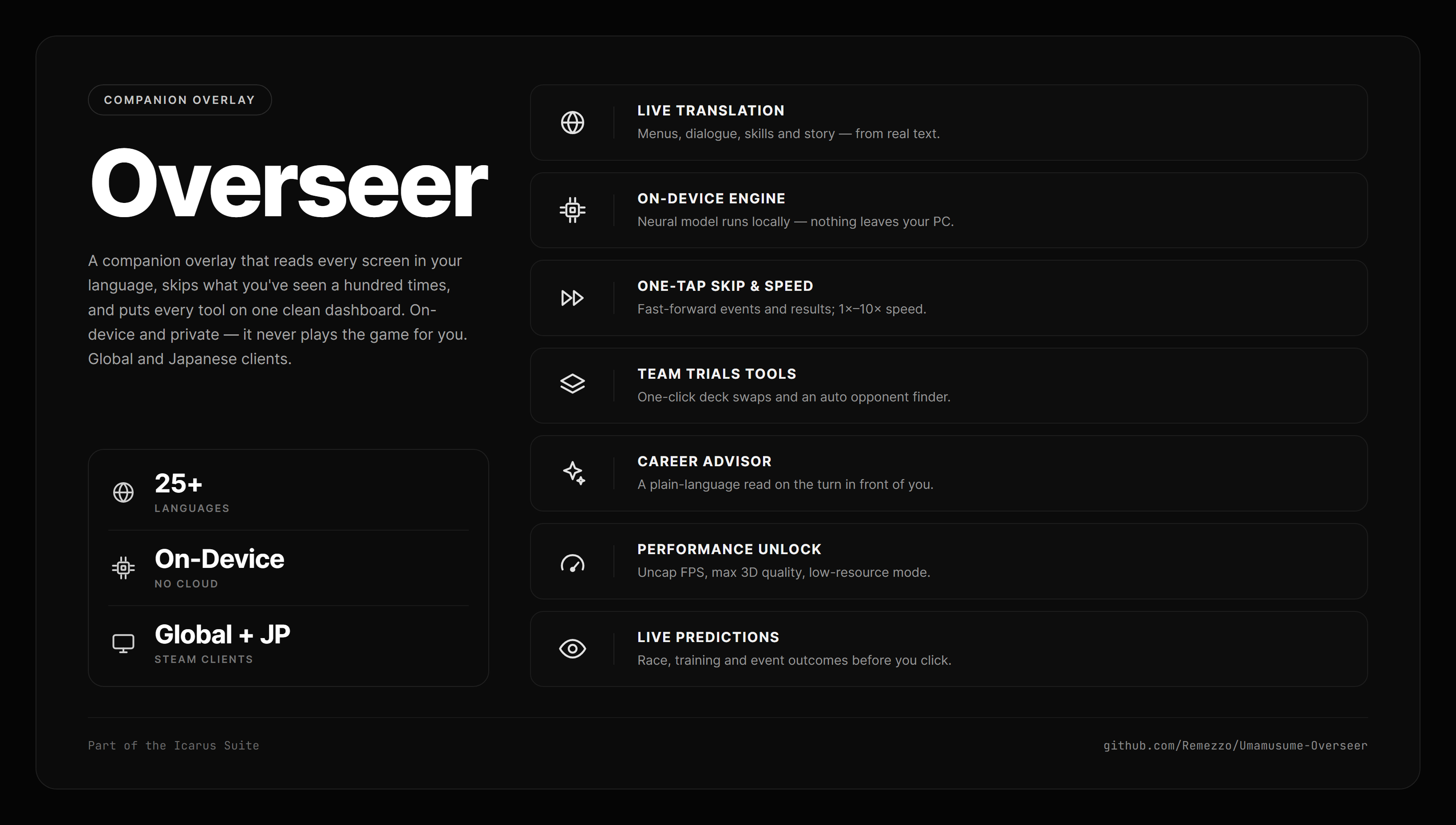
Overseer — companion overlay

Overseer

You're running itcompanion overlay

A companion overlay adding live translation in 25+ languages, HyperSkip, performance enhancements, a deck builder, career tracking, and prediction for events, training and races before you click. Built for both the Global and Japanese Steam clients.
Global clientJapanese clientWebsiteoverseer.moe
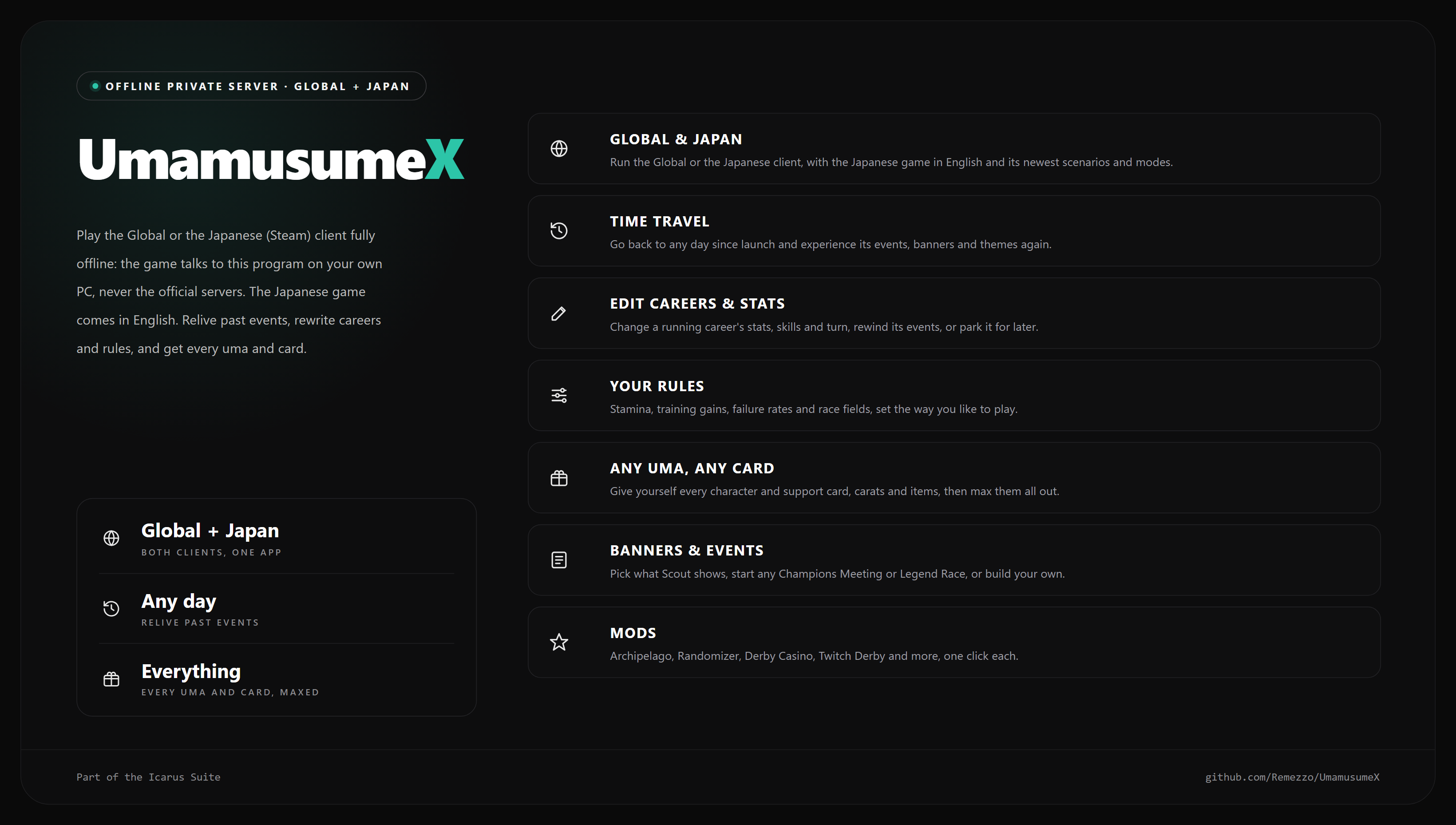
UmamusumeX — offline private server for the Global and Japanese clients

UmamusumeX

Availableoffline private server

Play the Global or the Japanese (Steam) client fully offline, the Japanese game in English: the game talks to a program on your own PC, never the official servers. Time-travel to any day and relive past events, edit careers and the game's rules, and give yourself any uma or card, with no changes to the game.

View on GitHubgithub.com/Remezzo/UmamusumeX
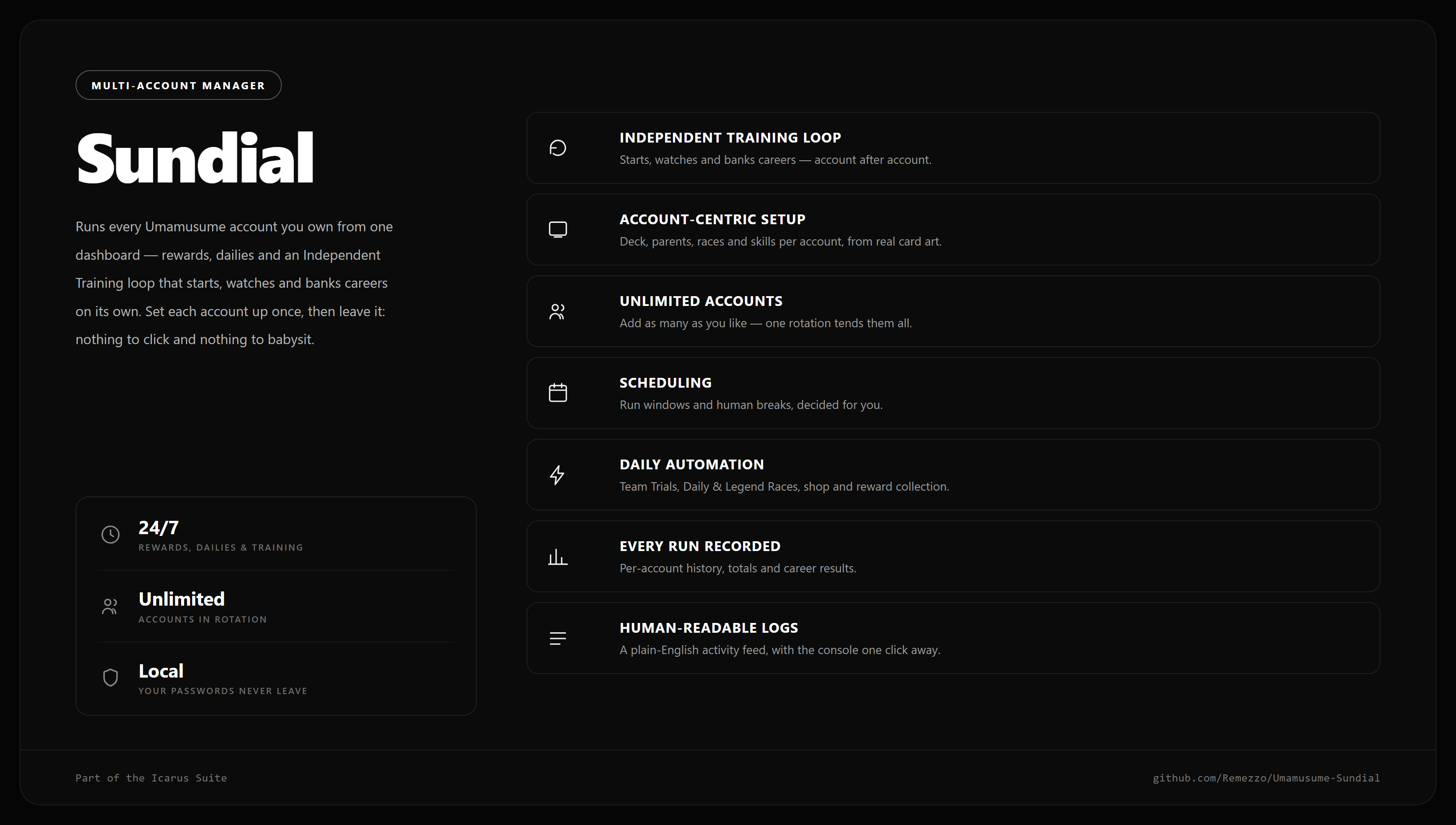
Sundial — multi-account manager for the Global client

Sundial

Availablemulti-account manager

Runs up to 12 Umamusume Global accounts from one dashboard: Independent Training careers with a character rotation, dailies, clubs and rewards. Set each account up once, then leave it.

Fully headless, one dashboard for every account
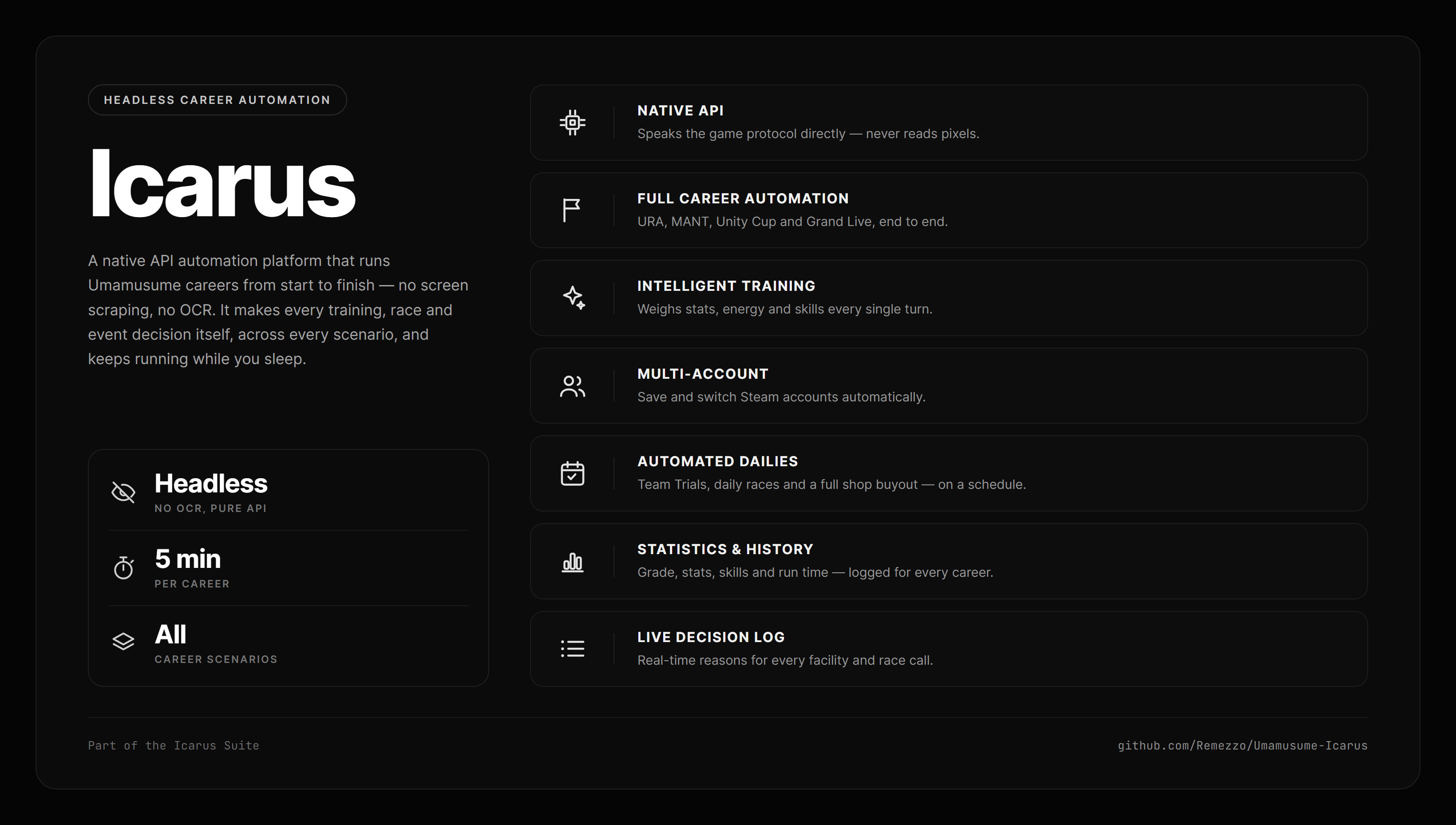
Icarus — headless career bot, Global and Japan builds

Icarus

Availablecareer bot

A headless career bot for the Global client, with a separate Japan build: it plays whole careers through pure API calls (training, events, races and skills) for up to 12 accounts on one Steam sign-in.

Plays careers against this server too
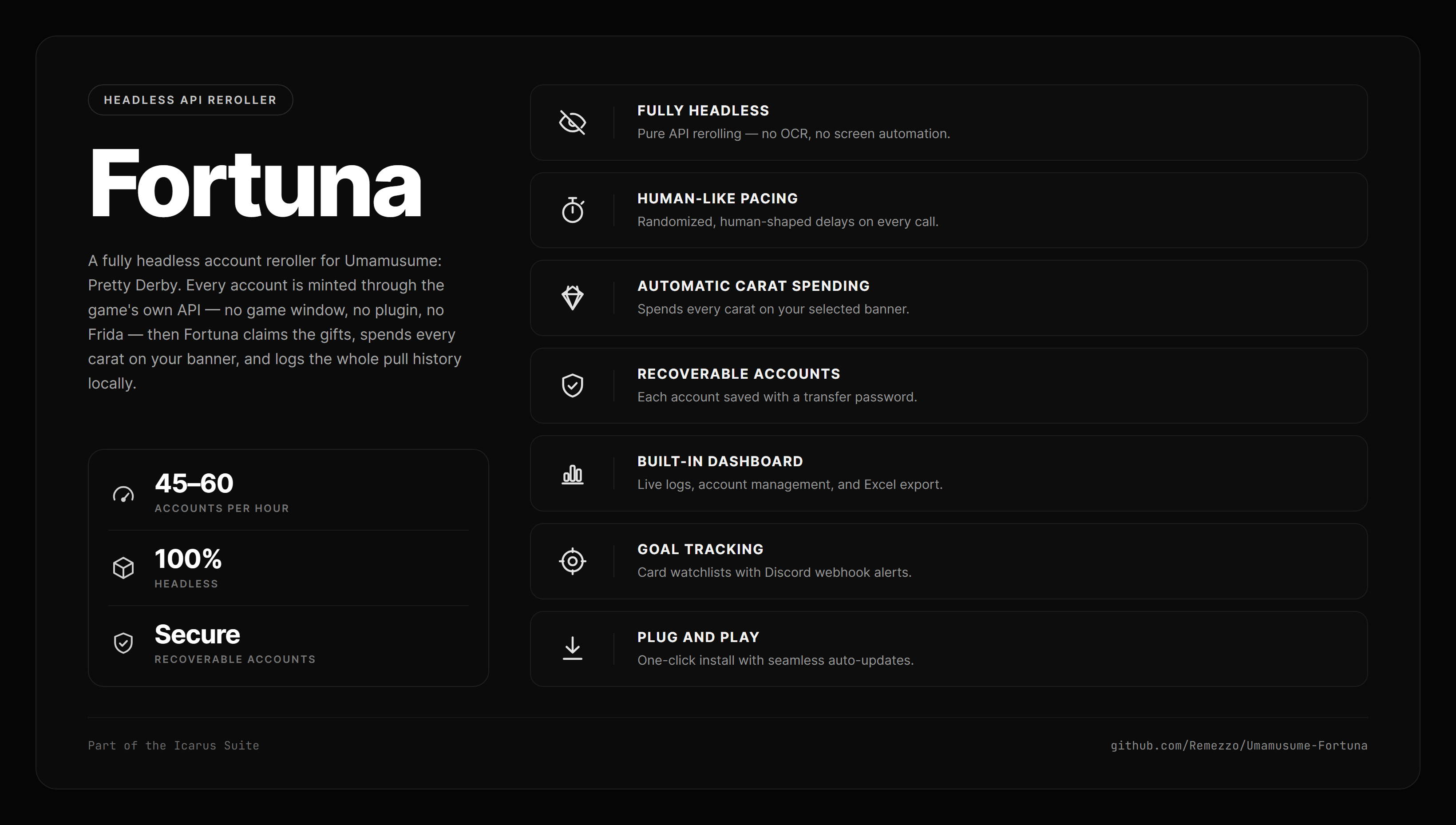
Fortuna — headless Global account reroller

Fortuna

Availableglobal reroller

A fully headless reroller for Umamusume Global. Fortuna signs in to Steam itself, mints each account through pure API calls, claims the presents, pulls on the banner you picked, saves a transfer password and records the history.

github.com/Remezzo/Umamusume-Fortuna
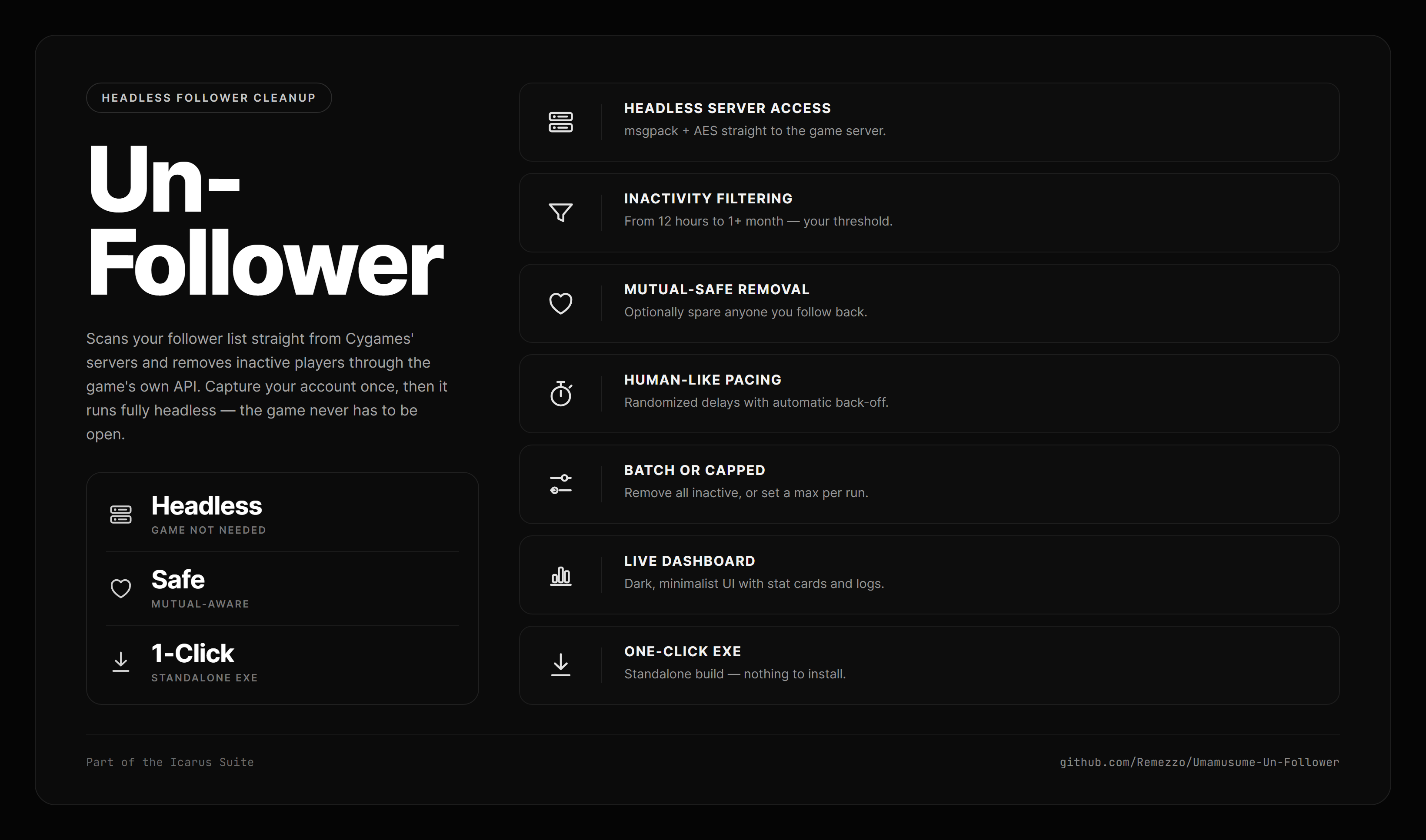
Un-Follower — follower cleanup for the Global client

Un-Follower

Availablesocial tool

Cleans up your Global follow list: finds inactive trainers and removes them safely through the game's own API, mutuals spared.

Part of the suite
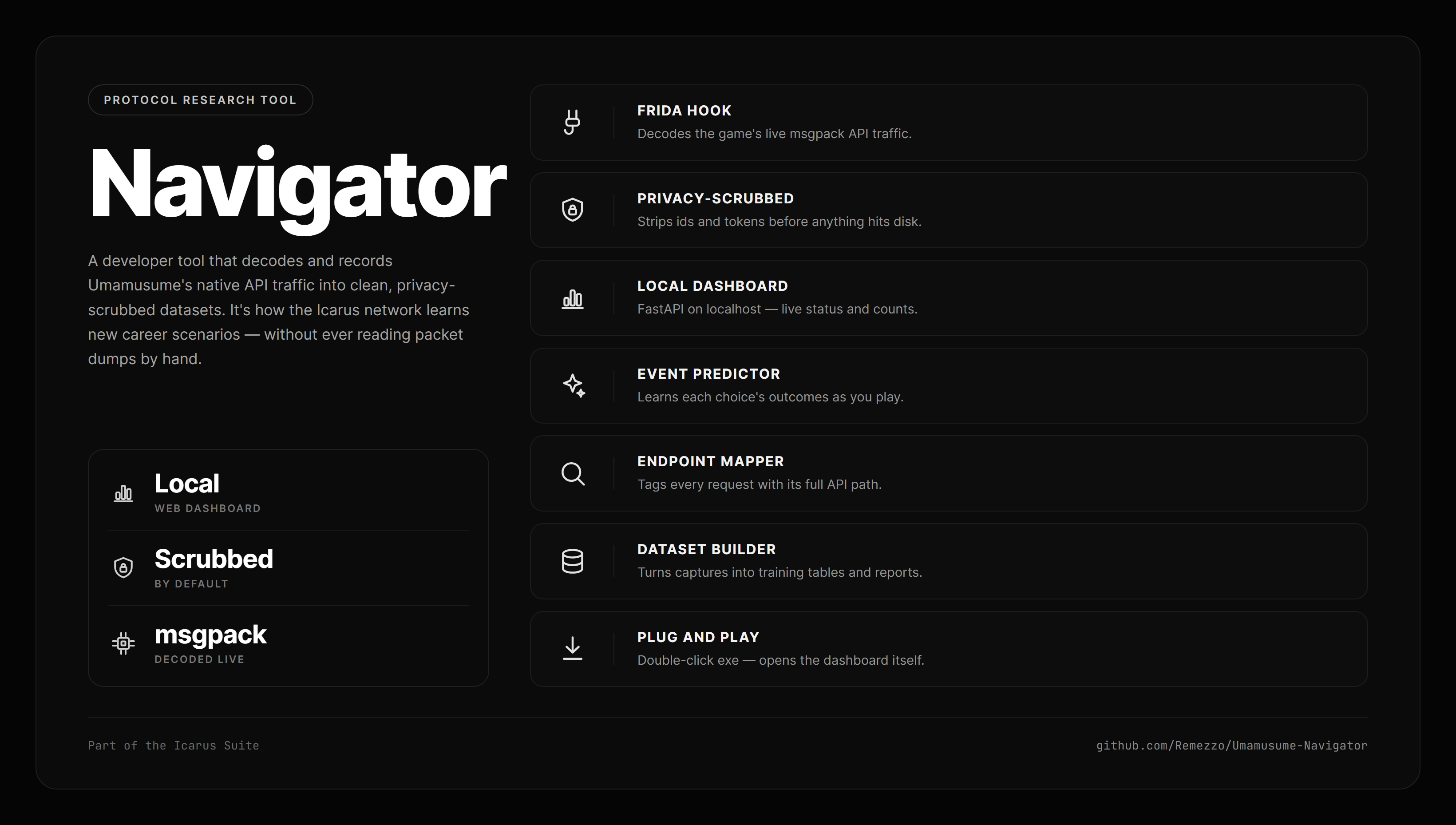
Navigator — protocol research, Global and Japan

Navigator

Developer toolprotocol research

The research rig that captures and decodes the game's wire protocol on the Global and Japanese clients, into privacy-scrubbed datasets.

The tools in this catalogue are built on what it finds
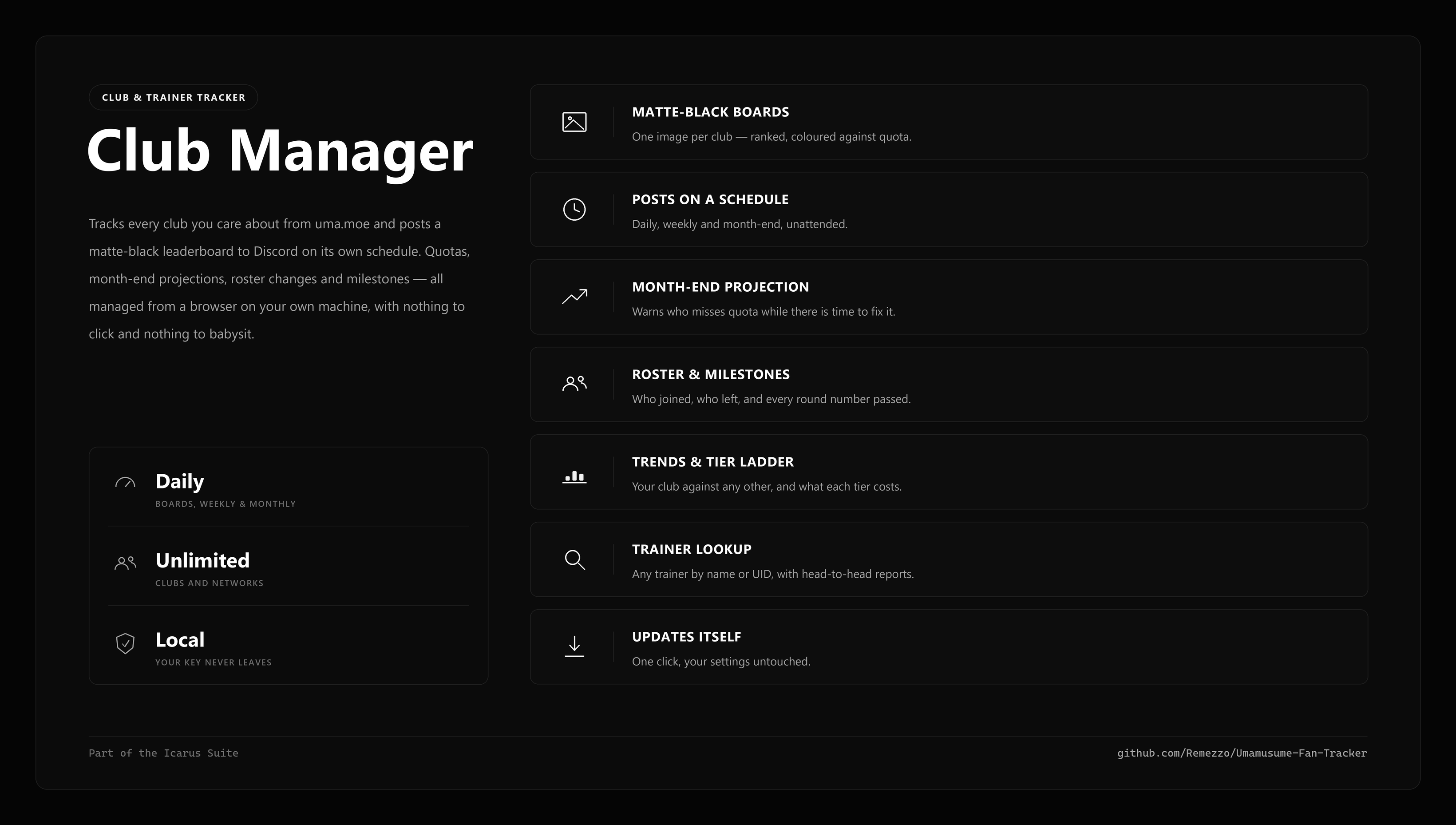
Club Manager — club & trainer tracker for the Global client

Club Manager

Availableclub & trainer tracker

Tracks every Global club you care about from the community site and posts a matte-black leaderboard to Discord on its own schedule: quotas, month-end projections, roster changes, milestones and trainer lookups, all unattended.

View on GitHubgithub.com/Remezzo/Umamusume-Fan-Tracker

Help

Find a page, get an answer, fix a problem

Get going

  1. Start the game. This panel opens with it. If it doesn't, go to 127.0.0.1:1620.
  2. Pick your language on the Translation page.
  3. Start a career. The rail on the right fills with this turn's advice, event options and race chances.

Good to know

Search anything
Press Ctrl+K or / to jump to any page or setting.
Pop out the rail
Pop out gives it its own window beside a fullscreen game.
Marks in the game
Overseer draws ticks, outlines and rings on game screens. One switch turns them off, in Settings → Overlay.
Missing a section?
The panel hides what your client doesn't have. Global and JP differ a little.

What acts for you

HyperSkip
The training, event, shop and rival skips are on from the start. The rest is opt-in.
Opponent Hunter
Reloads Team Trials opponents until your target appears. Only when you start it.
Room Finder
Refreshes Room Match until your room appears. It never joins.
Un-Follower
Removes inactive followers you've previewed. Restart the game after a run.

Career

Gameplay

System

Training and events

How does the advisor pick a training?
It scores each facility on stat gains against your trainee's targets, bonds, rainbows, hints and energy. Failure chance is a hard filter. The pick appears in the rail and as a ring in the game.
Why does it say Rest?
Below 30% energy it won't suggest training, because a failed session costs more than resting.
Why can't it say which event outcome will happen?
The server rolls the outcome when you press, on both clients. Overseer lists every possible row with its odds where known. A ✓ means that row usually wins, not that it will.
When does a card rainbow?
At 80 bond, on the facility of its own type. Pal and Group cards never do. Gamemaster → Friendship shows who will get there this run.

Racing

Where do the win chances come from?
Overseer simulates the field a couple of hundred times from stats, aptitudes and mood. It never reads the result. Skills, blocking and drafting aren't simulated, so 60% means "best suited", not "wins six in ten".
What does "runs dry" mean?
How often a runner empties its stamina before the line. On long races it often matters more than the win chance.
What wins Team Trials points?
Skills that fire: a gold is worth 1,200 and a white 500, whatever they do. Reliable skills beat strong ones. The Skill Optimizer doesn't aim for this, so read its picks with that in mind.

Skills and rating

How do I use the Skill Optimizer?
On the end-of-career skill screen, press Recommend. It picks the best set for your SP and marks those rows in the game. It never buys anything.
Rating or Race time?
Rating raises your career grade. Race time cuts seconds on a course you choose, and counts recovery and debuffs as zero.
How is rating worked out?
From five stats, your unique skill and every skill you own, using your client's own tables. Global and JP ranks differ at the top. Tools → Rating Calculator prices any stat line.
How do I read detailed skill descriptions?
Bold is the effect and its length. After when: come the conditions. Turn them on under Translation → Language & Pack, with the game in English.

Scenarios and decks

What does Grand Live get?
The best lesson card is marked in the game. Gamemaster → Grand Live has the reasoning, song and technique rankings, a planner and the concert schedule.
Does it work in other scenarios?
Yes: advice, events, race chances, skills and marks work everywhere. Newer scenarios use estimated stat targets, and the advisor says so.
How do I build a deck?
Add six cards in Tools → Deck Builder and set each limit break. The analysis updates as you edit, and Save keeps the deck as a profile.

Translation

How do I get my language?
Pick it on the Translation page and its pack downloads. English comes with Overseer. Your own corrections survive pack updates.
Do I need the translation model?
No. Packs and the glossary work without it. Turn on Machine Translation only to cover text no pack has yet, such as after a game update.
Can I build a pack for another language?
Yes, for 25+ languages, under Build Packs. Build outside the game for full speed. After a game update, Translate what changed takes minutes.

Your data

Where are my files?
Beside the game, in UmamusumePrettyDerby_Data\Plugins\x86_64. Telemetry → Files & retention lists every folder.
Does anything get uploaded?
No, not unless you send a file yourself. Career files never contain your account or trainer identity.
What happens when I uninstall?
The game's uninstaller deletes that folder, so copy anything you want first. Settings → Maintenance → Uninstall shows what it removes.

Common problems

The game won't launch
Close other mods, then delete cri_mana_vpx.dll from the game root. That puts the game back to normal. Don't touch the file of that name in Plugins\x86_64; it belongs to the game.
JP: “Communication error” (Code 102)
The connection to the game's servers dropped, usually because of a VPN. Switch to another Japan server and press Retry. If it continues, send Logs → Export and %USERPROFILE%\AppData\LocalLow\Cygames\UmamusumePrettyDerby_Jpn\Player.log.
The panel won't load
The game has to be running. Then go to 127.0.0.1:1620.
Antivirus flags Overseer
This can be a false positive on the DLL. Allow-list the game's install folder.
A language pack won't download
Check your connection, then try Download again on the Translation page. A failed download leaves your current pack as it was.
A translation looks wrong
Fix the line under Translation → Corrections, or press Check for pack updates.
The pack warns about its safety gate
It was built under older rules. Rebuild it under Build Packs. What you're reading is fine meanwhile.
A model button is greyed out
That model isn't installed. Use Download under the model picker. Packs still work without one.
A panel says a screen isn't open
Open that screen in the game: Select Opponent for Opponent Hunter, Room Match's list for Room Finder, Friends → Followers for Un-Follower.
Veterans is empty
Turn on Telemetry → Veterans, then open your Trained Uma list in the game.
Why does JP need a launcher?
The JP client checks its folder at startup. The installer sets up a small launcher in Steam's launch options, so you press Play as normal.

Report a bug

  1. Export your log. Press Export log on the Logs page.
  2. Post it in the Discord. The file holds your trainer name and in-game IDs, so send it to staff directly if you prefer.

Terms

Advisor
The per-turn training recommendation.
Affinity
How well two umas pair for inheritance.
Bond
A support card's friendship with your trainee this career.
Branch
Which outcome of an event option fires.
Global, JP
The two Steam clients. One Overseer runs on both.
Glossary
Terms the game assembles as it runs, which a pack can't contain.
Machine Translation
An optional model on your PC, for text no pack covers.
Mark
A ✓, outline or ring drawn on a game screen.
Pack
A translated copy of the game's text.
Rail
The right-hand column that follows you across pages.
Rainbow
A friendship training, at 80 bond on the card's own facility.
Rating
The score a career is graded on.
Runs dry
How often a runner empties its stamina before the line.
Spark
What a finished uma passes on through inheritance.
Streamer mode
Masks names and UIDs across this panel.
Veteran
A trained uma on your account.